

Status requests pile up when file progress is not visible in one place.
Feature
Client status tracking for small service businesses
Keep every client file visible in one clear stage view so your team can act quickly and clients stay reassured.
What this solves
Work stalls when teams cannot quickly see who is waiting on client input.
CRM-heavy pipelines add complexity when you only need delivery status clarity.
How client status tracking works in Navoqo
-
Step 1
Create one file per active client
Every client gets a dedicated record with owner, stage, and timeline context.
-
Step 2
Move files through simple stages
Update each file as work progresses so everyone sees current position and next action.
-
Step 3
Review waiting and blocked files daily
Spot bottlenecks quickly and prioritize follow-up where progress is stalled.
See it in the product.
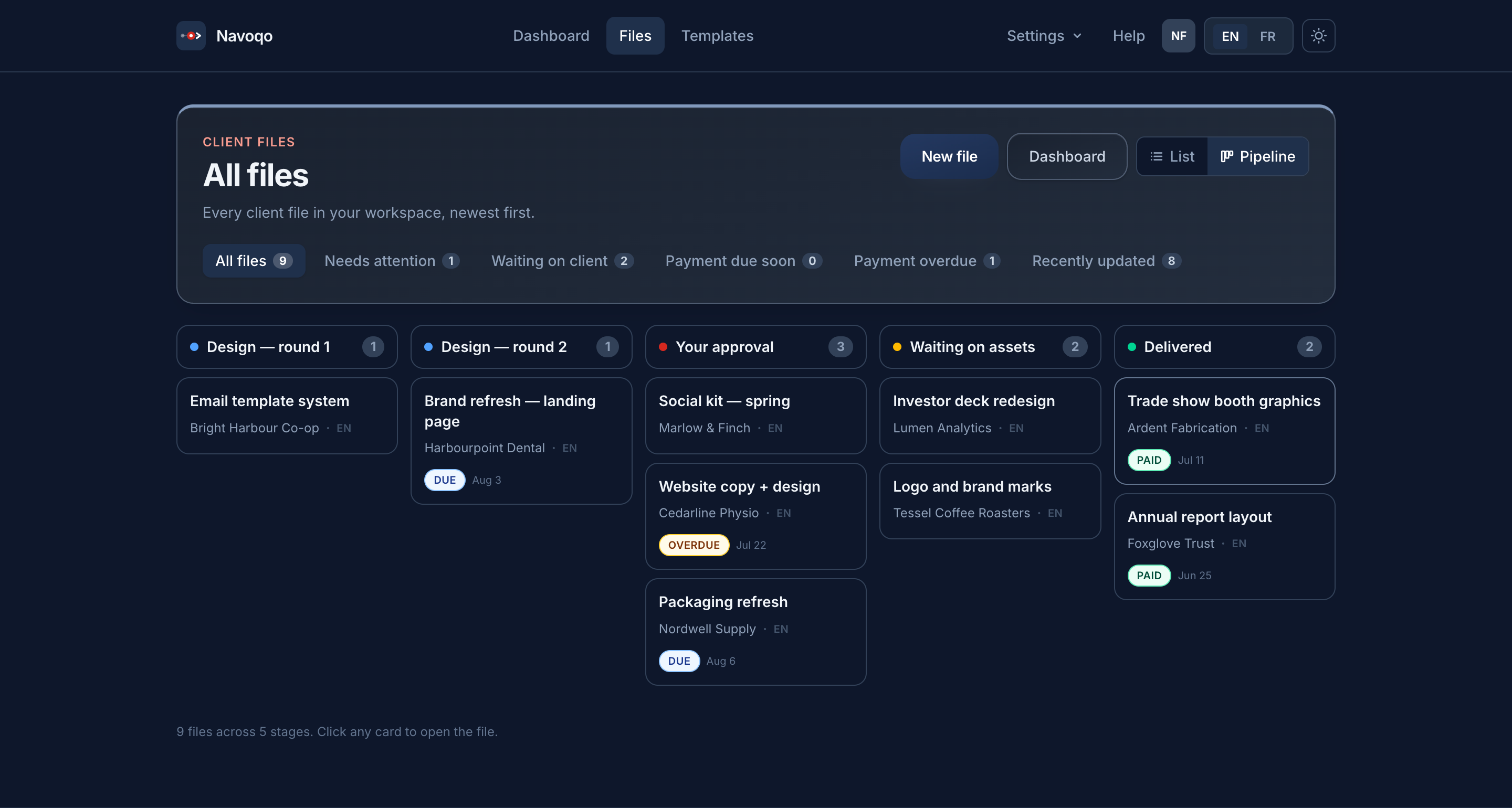
Active file list with stage badges
A real screen where each client file has a clear stage and owner.
Waiting-on-client queue
Exactly which files are blocked by missing documents or client response.
Where this feature is most useful
Immigration document support
Applicant status questions and missing document follow-up consume case-working time.
Tax preparers and bookkeepers
During filing season, missing client documents and open invoices create constant follow-up pressure.
Translation agencies
Project milestones move quickly, and clients expect timely delivery and payment clarity.
Need cross-feature context? See How it works and Pricing.
Related reading
Guides that go deeper
- Client updatesHow to keep clients updated without a bloated CRMA four-part system for keeping service clients informed: named stages, a fixed update cadence, one channel, and a status page. No CRM required.
- TemplatesClient status update email examplesTen client status update emails for real situations: progress, no progress, waiting on the client, bad news and handover — with the structure behind each.
- TemplatesTemplate: the client status update messageOne status update template for any service business: the four fields it is built from, plus variations for progress, no progress, blocked and delivered.
Feature FAQ
Is this a full CRM pipeline?
No. Navoqo focuses on delivery-stage visibility, updates, and payment follow-up.
Can I see who is waiting on client input?
Yes. Files can be placed in stages such as Waiting on Client so blockers are explicit.
Does tracking stay connected to payment follow-up?
Yes. Status context and reminder actions are connected inside the same client workflow.
Track client status without CRM bloat.
Not a CRM migration. Just status tracking that works from day one — try it free for 14 days.