
Client status tracking
Know which clients need you, without keeping it all in your head.
Every client is one project with a step, a next date and a history. The Today list pulls out only what needs you now, so nobody is forgotten when you get busy.
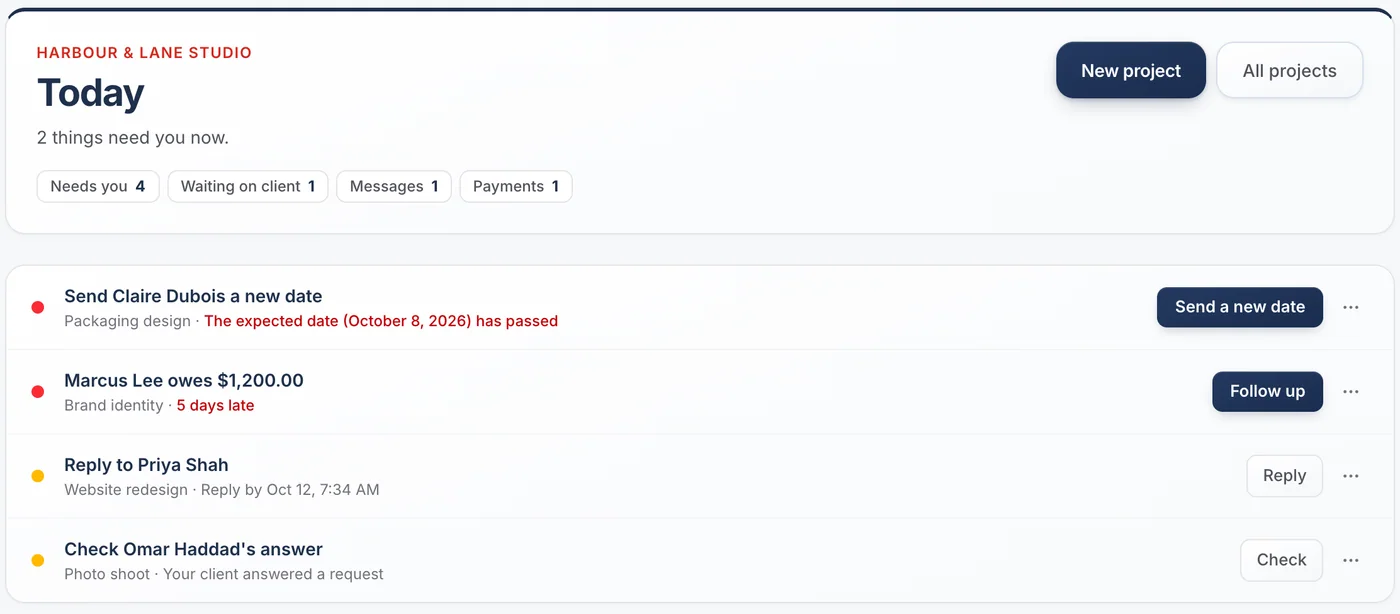
What Today catches for you
Late dates
You promised an update or a delivery by a date that has passed.
Quiet clients
A client has not heard from you in a while, even if nothing changed.
Unanswered questions
A client asked something on their page and nobody has replied.
Answers to check
A client confirmed or approved something you asked for.
Overdue payments
An amount is past its due date.
Waiting on clients
What you asked for and have not received yet, in its own list.
Waiting on others
A permit, a supplier, an insurer: work that waits on someone else, kept apart from what waits on your client.
The board
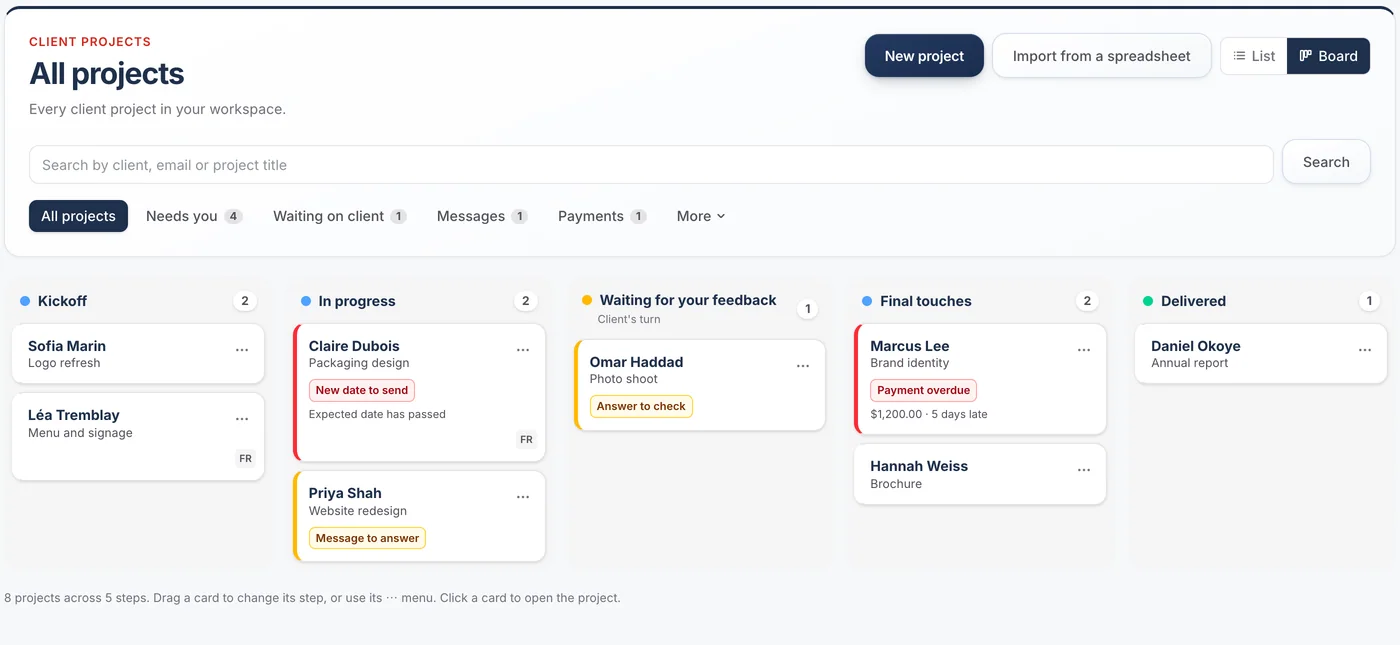
See every client on one board, and move work with a drag.
Each step is a column. Each card leads with the client and shows the one thing that matters: a late payment, a message to answer, a date to send. What needs you rises to the top of its column.
- Drag a card to another step: it is saved at once, with Undo, and nobody is emailed until you decide
- Open a card’s menu to move it on, update the client, ask them for something or see what they see
- Steps that wait say whose turn it is: the client’s, or someone else’s
Find any client in seconds.
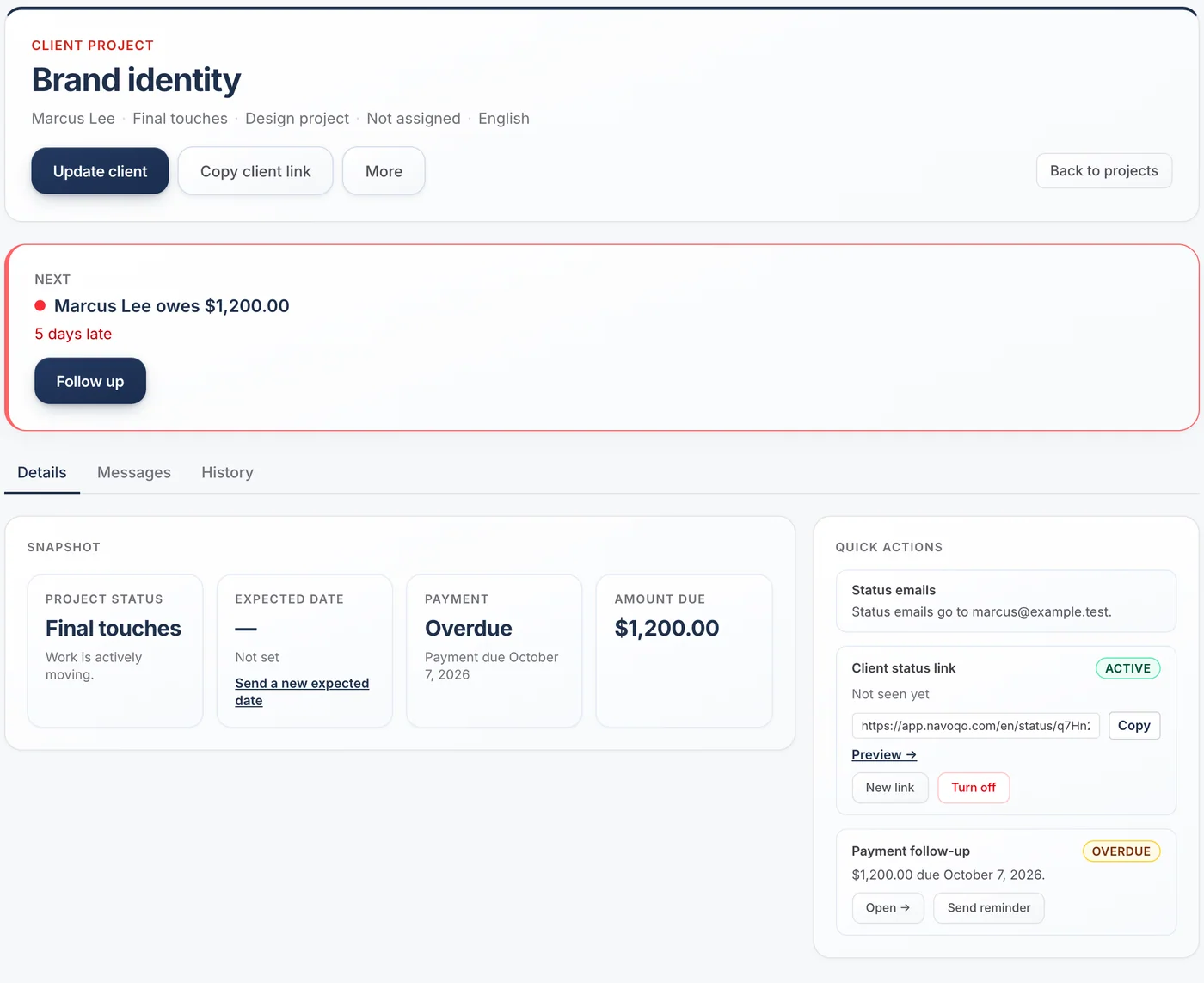
Search by client or project name, accents or not. Open a project and the next thing to do is at the top, with its history below: every update, email, reminder and answer.
- A daily email when something new needs you
- A weekly summary for the whole team
- Assign questions to the person responsible
Questions about tracking
Is this a CRM?
No. There are no deals, pipelines or sales stages. Navoqo tracks the service you are delivering to clients you already have.
Can I import my clients from a spreadsheet?
Yes. Upload a CSV file, check the preview, then confirm. A template is provided, and the file itself is never stored.
What happens to finished clients?
Archive them. They stop counting toward your plan, their page turns off, and their history is kept.
Guides and templates
- CRM vs simple client follow-up software →CRMs are built to win new business. Follow-up tools are built to keep existing clients informed. A decision framework for which problem you actually have.
- Client portal vs CRM: which one does a small service business need? →What a CRM does, what a client portal does, what each one costs you in time, and a lighter third option: one private status page per client, with no login.
Give your clients the service you want to give.
Add a client, send one update, and watch the “where are we?” emails slow down. It takes an afternoon.
Free for 10 active projects · No credit card · No time limit