

See which files need attention
Keep files grouped by stage so you can distinguish work waiting on client documents from work ready for review.
Explore client file tracking →For accountants & bookkeepers
Keep clients informed from the first document request to the completed engagement. Track each file, share a clear status page, and spend less time answering “Any update?”
10 active client files free · No credit card required · No client login
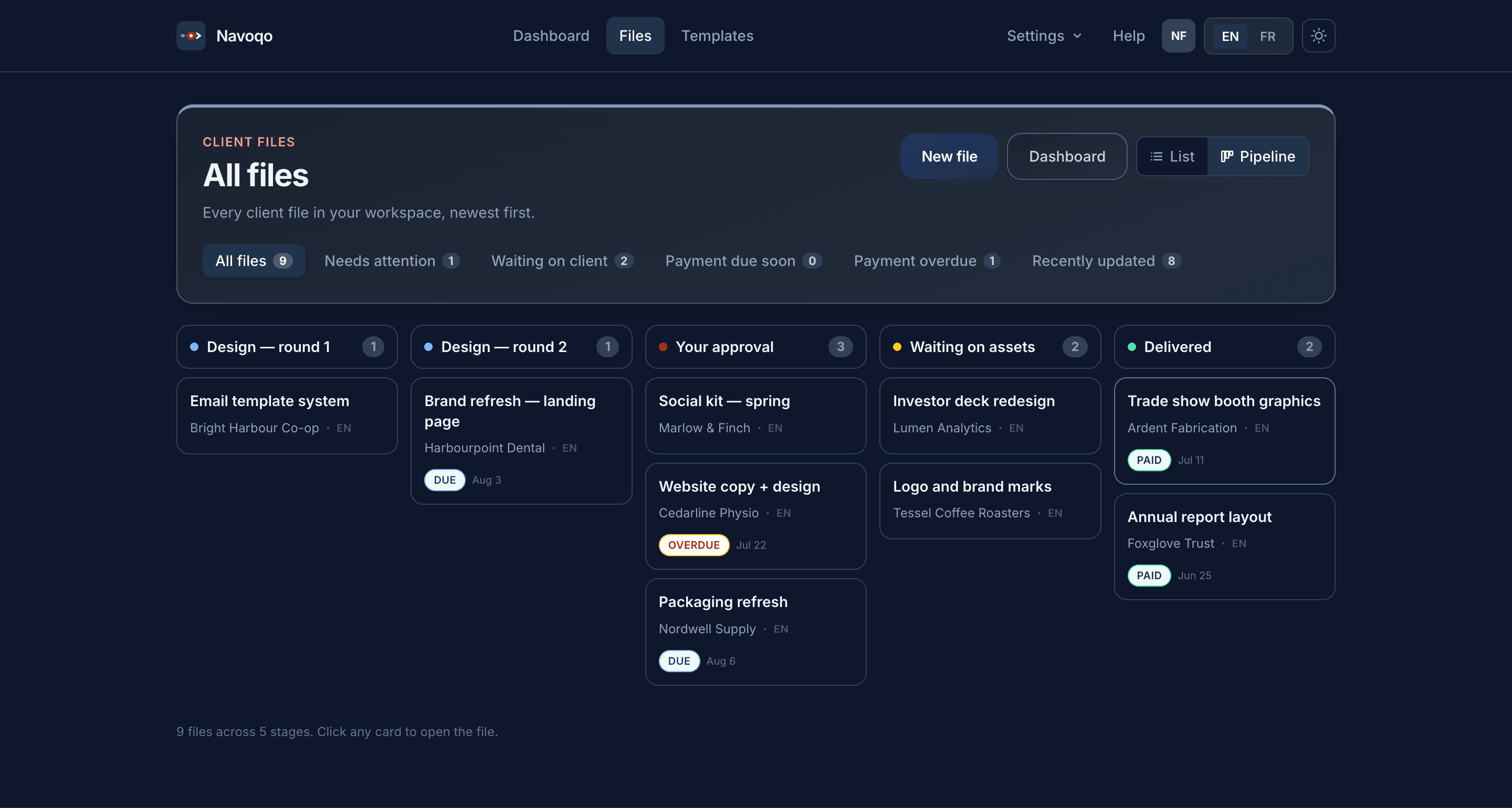
When document requests, progress questions, and fee reminders sit in separate email threads, it takes effort to see where each engagement stands. Give that work a shared place.
Keep files grouped by stage so you can distinguish work waiting on client documents from work ready for review.
Explore client file tracking →Send status updates as work moves forward and give every client a secure link they can check between emails.
See the client status page →On paid plans, attach payment reminders to the milestones in each client file, keeping payment follow-up connected to the work.
Explore payment reminders →Example workflow
Create a client file for an engagement, then move it through your own stages. Here is one way to organise monthly bookkeeping follow-up.
Step 1
Make it clear that you are waiting for the client’s records before work can move ahead.
Step 2
Update the file when you start the month’s work so the client knows it is underway.
Step 3
Show when the work has reached review and explain the next step in a client update.
Step 4
Let the client know the work is complete, follow up on any milestone payment, and archive the file when finished.
Give each engagement a visible stage and a client update that explains what happens next. Clients can check their status while your team focuses on the work.
Explore the bookkeeping use case →Use stages such as documents requested, preparation in progress, ready for client review, and completed. Share progress as you update the file so clients know where their engagement stands.
Explore tax preparation follow-up →Your accounting software remains the place for transactions, reconciliations, financial statements, and tax work. Use Navoqo alongside it to track client progress and keep communication consistent. No accounting integration is required.
Clients receive a secure status link without needing another account. Read about status-link security and privacy.
Navoqo brings client file stages, status update emails, secure client status links, and payment follow-up into one place. Use it to show what is waiting, what is in progress, and what comes next for each engagement.
No. Continue using your accounting software for bookkeeping, reconciliations, financial statements, and tax work. Navoqo handles client progress visibility and follow-up alongside those tools; this does not require or imply an accounting integration.
Yes. Clients open a secure status link to see their progress without signing up or downloading an app.
Yes. Configure workflow stages for each service, such as awaiting documents, in progress, ready for review, and completed. The number of workflows available depends on your plan.
No. Free includes 10 active client files, one user, one workflow, status update emails, and secure client status links. Automated milestone payment reminders are available on paid plans.
You can archive completed files and retain their history. Archived files do not count toward your active client file limit.
Create a workflow, add a client file, and share a status link. The Free plan includes 10 active files, one user, and one workflow. Upgrade when you need more capacity or automated payment reminders.