
Payment reminders
Get paid on time without the awkward follow-up email.
Record the amount and the due date. Your client sees it on their page, next to the work you are doing for them. On Standard, Navoqo sends the reminders, politely, so you do not have to.
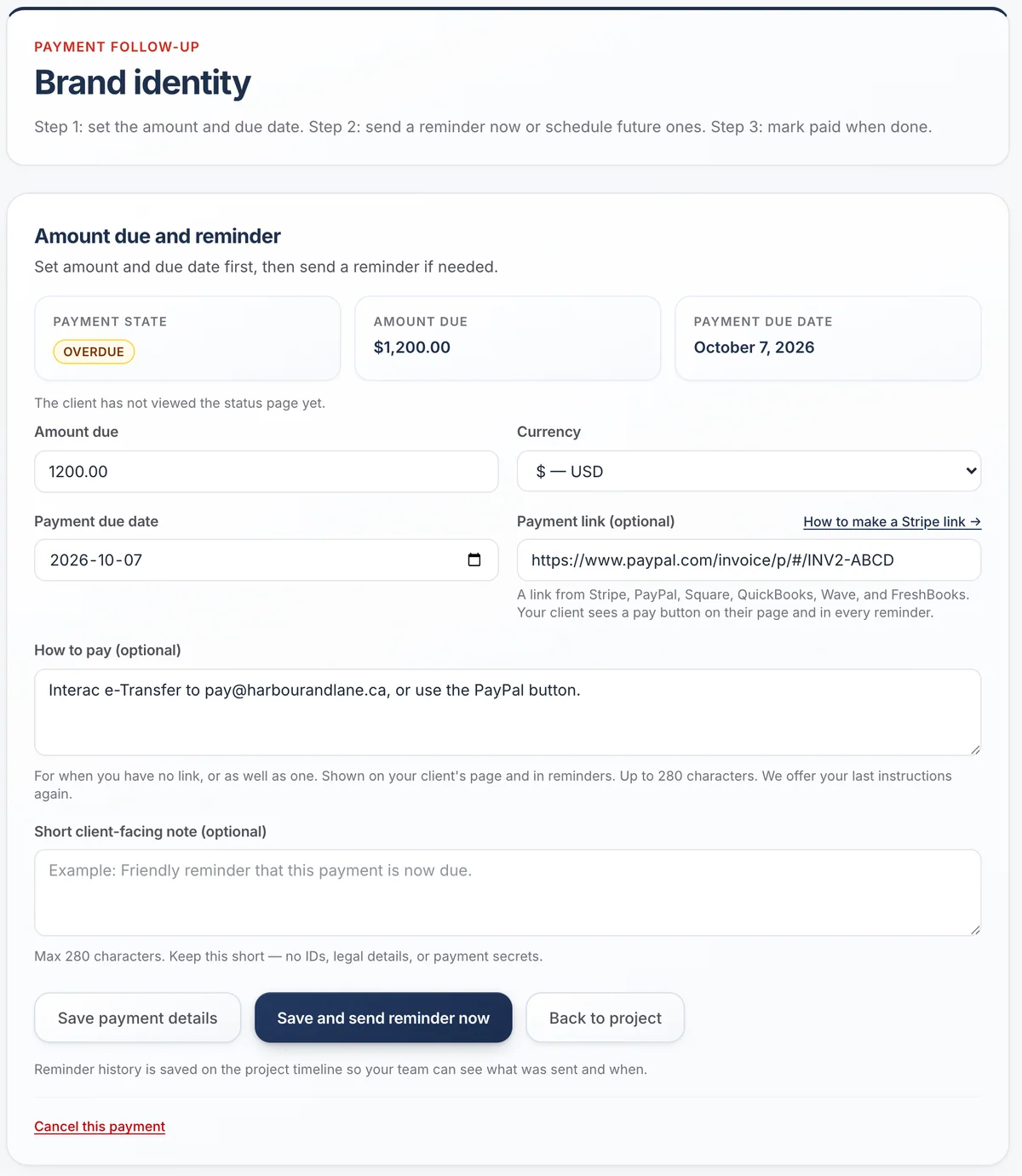
Three steps, then it runs itself
Set the amount and date
In US, Canadian or Australian dollars. Add a payment link (Stripe, PayPal, Square, QuickBooks, Wave or FreshBooks), a few lines on how to pay, or both.
Remind now or later
Send a reminder right away or schedule the next ones. Each email is short and polite.
Mark it paid
Reminders stop. The history stays on the project so your team knows what was sent.
Reminders that come with context.
A payment reminder from a stranger feels like a bill. A reminder on the same page where clients follow their work feels like part of good service. Clients see what is done, what is next and what is due, in one place.
- A pay button on the page and in each email that says where it leads, like “Opens paypal.com”
- No link? Write how to pay, for example “Interac e-Transfer to pay@studio.ca”, and it shows instead
- Clients can tap “Already paid?” to tell you
- Overdue payments go to the top of your Today list

Is this the right payment tool for you?
A good fit if
- You bill per project, per stage or per milestone
- You already have a way to take payment
- You want reminders that sound like you and stop when paid
Look elsewhere if
- You need to send invoices or take card payments
- You need accounting, taxes or bookkeeping
- You bill hundreds of customers automatically each month
Navoqo does not process payments or issue invoices. It keeps clients informed about what they owe, alongside the work.
Questions about payment reminders
Does Navoqo collect the money?
No. Navoqo never handles card details or money. Add a payment link from the service you already use, or write how to pay, and clients pay you directly.
Which payment links work?
Links from Stripe, PayPal, Square, QuickBooks, Wave and FreshBooks. For anything else, such as an Interac e-Transfer or a bank transfer, write how to pay in the instructions box.
Do I retype my payment instructions every time?
No. We offer your last instructions again on the next payment. A payment link is different for each client, so it is never reused.
Are reminders included in Free?
On Free you can record amounts and due dates, and clients see them on their page. Reminder emails are part of Standard.
Can I change the wording?
Yes. Add a short note to any reminder. The rest of the email is kept short and neutral on purpose.
Which currencies are supported?
US, Canadian and Australian dollars. Pick one per payment.
Guides and templates
- The best way to send payment reminders professionally →A reminder schedule that gets invoices paid without damaging the relationship: when to send, what to say at each stage, and where to escalate.
- Template: the payment reminder email →A full payment reminder sequence — before due, on the day, and at three, ten and twenty-one days late — with wording that gets invoices paid.
Give your clients the service you want to give.
Add a client, send one update, and watch the “where are we?” emails slow down. It takes an afternoon.
Free for 10 active projects · No credit card · No time limit