
How it works
Three steps to clients who always know where they stand.
Set your steps once. Add a client. Send an update. From then on, your client has one private page to check, and you have one list that says what needs you.
Set up once, about 10 minutes
Getting started
Pick your kind of work
Projects, paperwork, on-site jobs, ongoing programs or events. Your steps, your word for the work and an example are ready, in English and French. Rename any step, in your clients’ words.
Add a client
A title, the client’s name and email. Navoqo creates their private page right away. They never make an account.
Send the first update
Pick the step, add a short note if you like, and tick “email this update”. Your client gets a short email with a link to their page.
What your client gets
One page that answers “where are we?” before they ask.
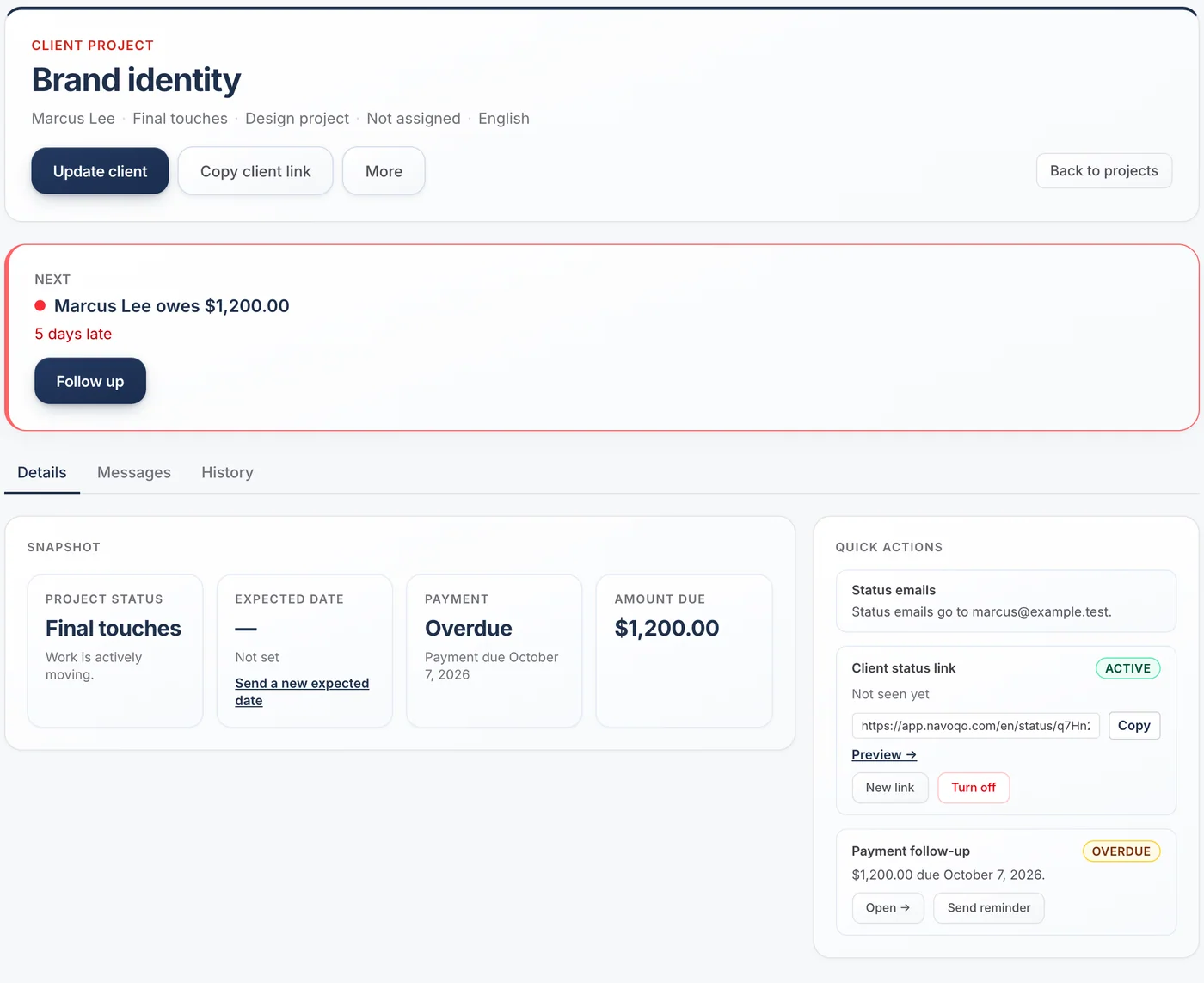
The page shows the current step, the steps still to come, what happens next and the date of your next update. It is the same link every time, so clients can bookmark it.
- No password, no app, no account
- English or French, per client
- Your business name and logo at the top

When you need something from them
Ask on the page. They answer on the page.
Ask the client to confirm a detail, approve something, finish a task or acknowledge a note. They answer in one tap from their page. While you wait, the page says so, so nobody thinks you are the one holding things up.
- Confirm, approve or decline, complete, acknowledge
- On Standard, Navoqo reminds the client until they answer
- You check each answer before moving on

When they need something from you
Every question is kept until someone answers.
Clients can ask for an update or report a problem from their page. The question lands on your Today list. If nobody answers by your response target, Navoqo emails the person responsible, then the owners.
- Questions never sit unread in one person’s inbox
- You set your own response target
- Reply in writing, or mark it answered by phone

Every morning
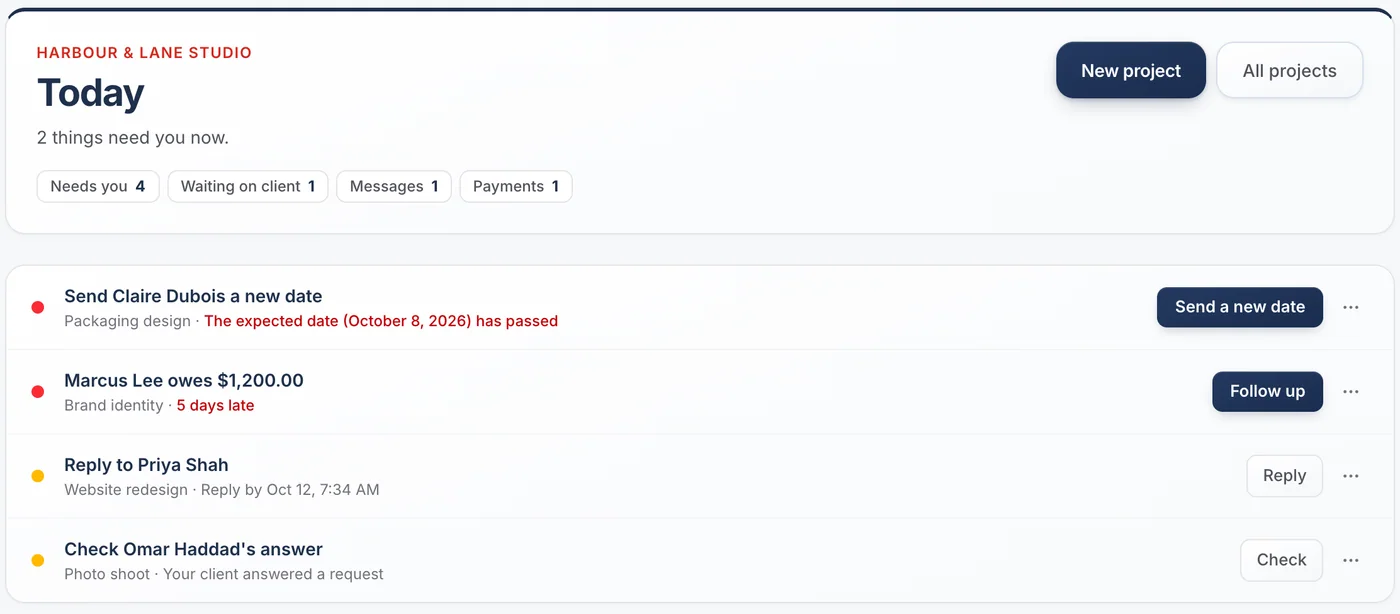
Today shows only what needs you.
Late dates, overdue payments, unanswered questions, answers to check and clients who have not heard from you in a while. Each line has one button that does the next thing. When the list is empty, you are done.
- A daily email when something new needs you
- A weekly summary of quiet projects and payments due
- Nothing about this list is ever sent to clients
Questions about getting started
How long does setup take?
Most people send their first update within 10 minutes: name your steps, add one client, send one update.
Do my clients need to install anything or log in?
No. They get a private link by email and open it in any browser. There is no password and no account.
Can I use it without emailing clients every time?
Yes. Emailing is a checkbox on each update. Leave it off and the page still updates quietly.
Can my team use it too?
Yes. Free is for one person. Standard allows up to 5 users, and questions can be assigned to the person responsible.
What if my work does not follow the same steps every time?
Make more than one workflow (Standard), or keep the steps broad. You can also send an update without changing the step.
Guides and templates
- How to keep clients updated without a bloated CRM →A four-part system for keeping service clients informed: named stages, a fixed update cadence, one channel, and a status page. No CRM required.
- Template: basic client workflow stages →A default five-stage workflow that fits most service businesses, worked examples for eight industries, and the rules for naming stages clients can read.
Give your clients the service you want to give.
Add a client, send one update, and watch the “where are we?” emails slow down. It takes an afternoon.
Free for 10 active projects · No credit card · No time limit