
Solutions · Payment follow-up
Get paid on time without the awkward reminder email.
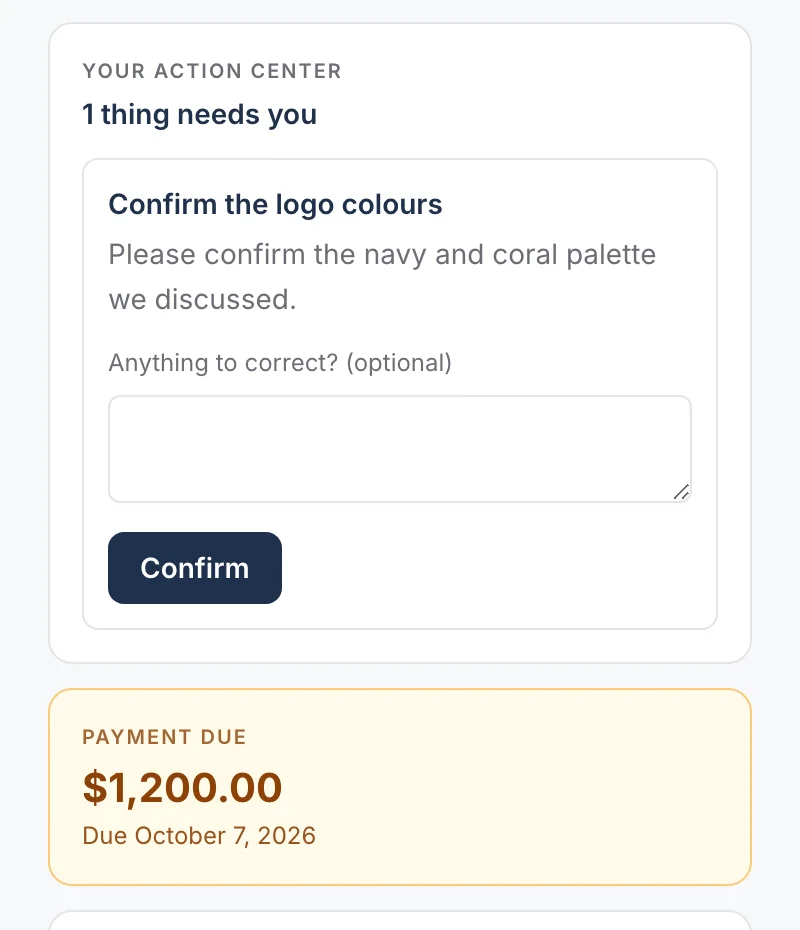
Clients pay faster when they can see what they are paying for. Navoqo shows the amount and due date on their page, next to their progress, and sends the reminders for you.
The problem
Chasing money feels bad, so it waits. Then it is late.
You did the work. Writing “just following up on the invoice” still feels uncomfortable, especially with a client you like. So you wait a week, then another. Your cash flow pays for your politeness.
With Navoqo
Payment becomes part of the service, not a separate fight.
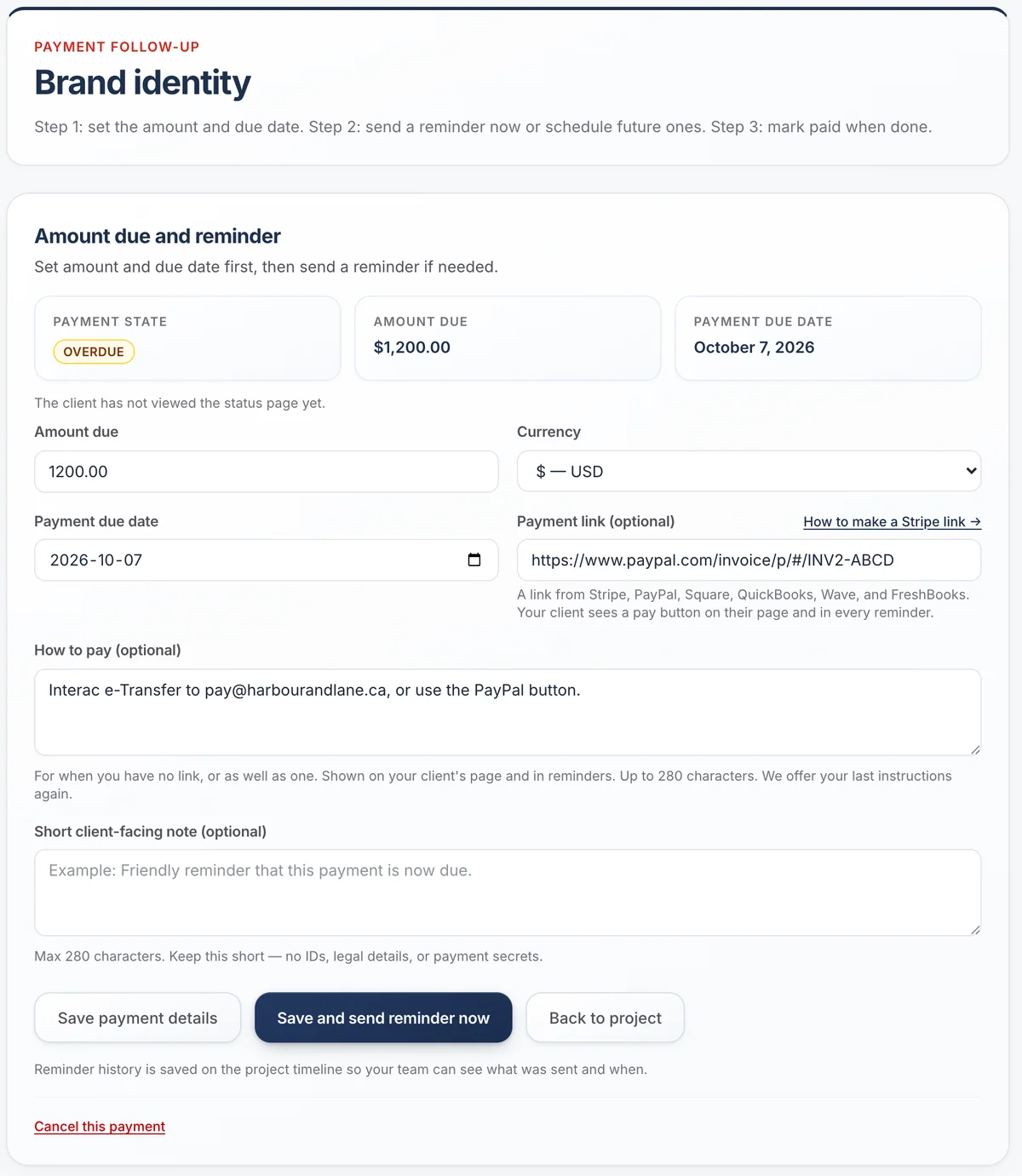
Record the amount and due date on the client’s project. They see it on their page with a pay button if you add a payment link (Stripe, PayPal, Square, QuickBooks, Wave or FreshBooks), or with your own instructions, such as an e-Transfer address. On Standard, Navoqo sends short, neutral reminders on schedule, and stops the moment you mark it paid.
- Overdue payments rise to the top of your Today list
- At most one reminder per client per day
- Navoqo never touches the money or card details
Works for any work billed by project or stage
Studios and freelancers
Deposit at kickoff, balance at delivery.
Contractors
A payment at each milestone of the job.
Professional services
A fee per project, due before submission.
Questions
Does Navoqo send invoices?
No. Keep your invoicing tool. Navoqo shows what is due on the client page and reminds them.
Is this included in the Free plan?
Free shows amounts and due dates on the client page. Reminder emails are part of Standard.
Can clients pay from the page?
Yes, if you add a payment link. It appears as a pay button on the page and in each reminder, with where it leads. No link? Write how to pay and that shows instead; clients can still tap “Already paid?”.
Other problems Navoqo fixes
- Stop “where are we?” emails →Clients check one page instead of writing to you.
- Collect what you need →Clients confirm and approve on their page, with reminders.
- Never miss a question →Every client question stays on your list until answered.
- Keep clients calm during waits →Show progress and a next date, even when nothing moves.
Give your clients the service you want to give.
Add a client, send one update, and watch the “where are we?” emails slow down. It takes an afternoon.
Free for 10 active projects · No credit card · No time limit