
Solutions · Get answers from clients
Get the answer you need without chasing anyone.
Your work stops when you are waiting on a client: a detail to confirm, a choice to approve, a note to read. Ask on their page, and let Navoqo do the following up.
The problem
Requests buried in email threads get lost, and then you look slow.
You asked two weeks ago. The client missed it, or meant to reply later. Now the project is late, and from their side it looks like you are the one holding things up. Chasing feels pushy, so you put it off.
With Navoqo
A clear request, on a page they already check.
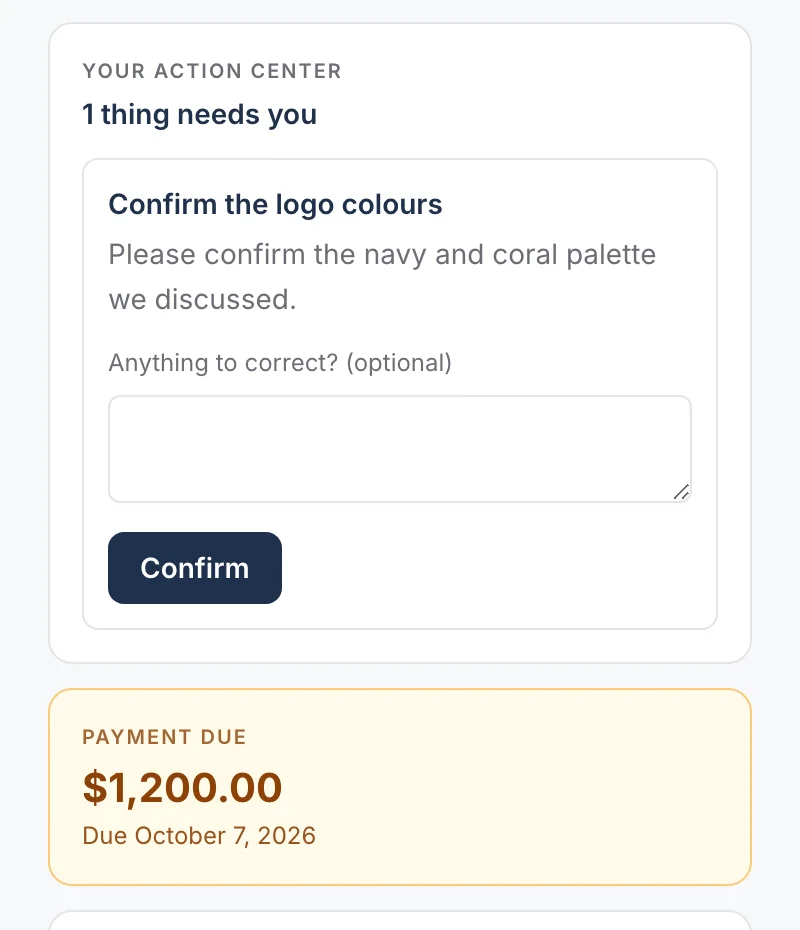
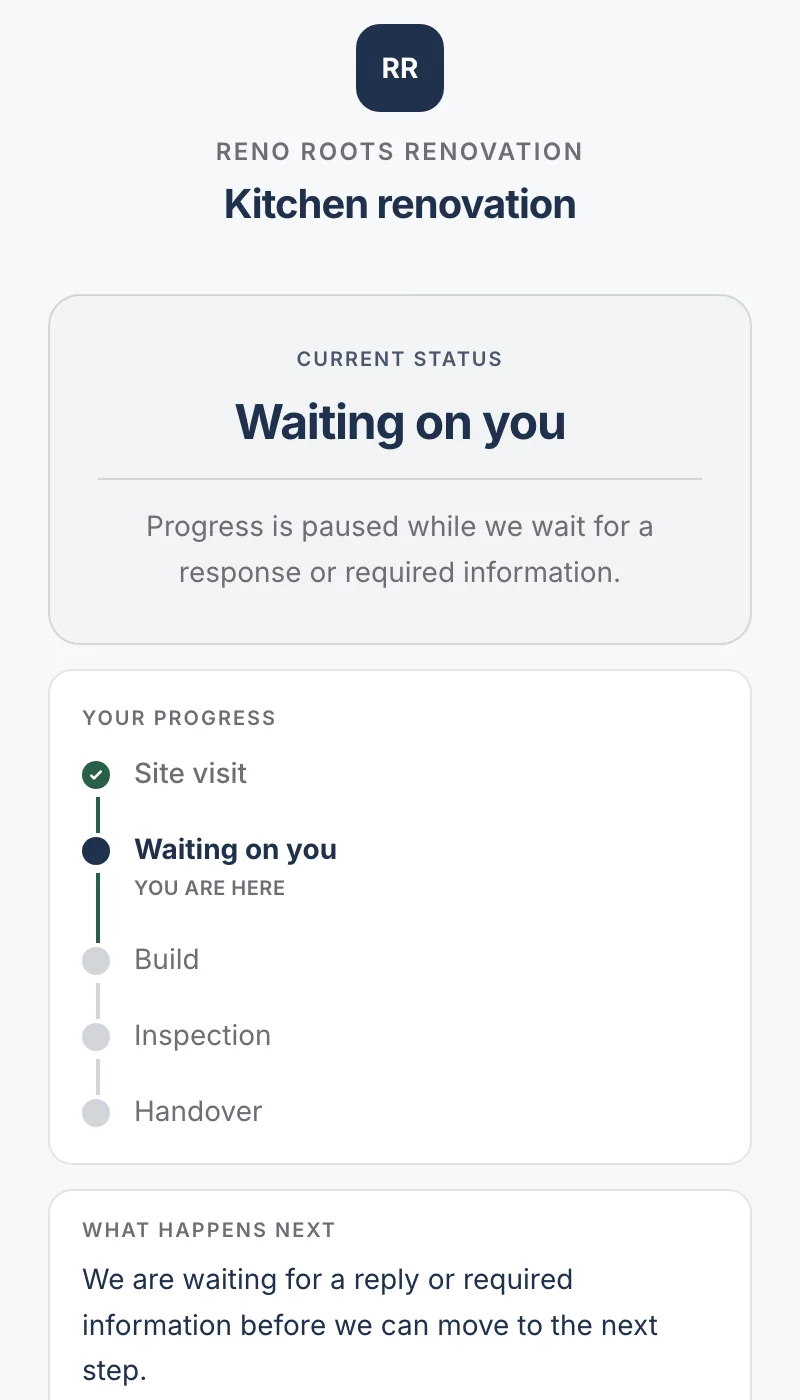
Ask the client to confirm information, approve or decline, complete a task or acknowledge a note. It appears on their page with one button. Their status shows “waiting on you”, so they know the next move is theirs.
- Answers land on your Today list to check
- On Standard, polite reminders until they answer, never more than one a day
- Everything they confirmed is kept in the project history
Works for any work that needs a client’s go-ahead
Accountants and bookkeepers
Confirm the address on file, acknowledge the filing deadline.
Renovation and repairs
Approve the quote change, choose between two options.
Coaches and consultants
Confirm the session plan, acknowledge the next steps.
Questions
Can clients send me documents this way?
No. Navoqo does not store files. Ask them to confirm they sent the documents through your usual channel, and you will know when they have.
What if the client declines?
For approvals, they can decline and leave a note. It shows on your Today list so you can follow up.
How often are reminders sent?
On Standard, at most one email a day per client, listing everything still open, and only a few times per request.
Other problems Navoqo fixes
- Stop “where are we?” emails →Clients check one page instead of writing to you.
- Get paid on time →What is due, shown next to the work, with polite reminders.
- Never miss a question →Every client question stays on your list until answered.
- Keep clients calm during waits →Show progress and a next date, even when nothing moves.
Give your clients the service you want to give.
Add a client, send one update, and watch the “where are we?” emails slow down. It takes an afternoon.
Free for 10 active projects · No credit card · No time limit